
Meetings can be productive when the right notes are taken, but many people struggle to capture all the important details while actively participating in discussions. Traditional note-taking methods often result in missed action items, unclear decisions, and incomplete records that fail to serve their purpose after the meeting ends.

AI meeting notes templates use artificial intelligence to automatically capture, organize, and format meeting information, transforming how teams document their discussions and follow-up tasks. These smart templates can transcribe conversations, identify key decisions, and create structured summaries without requiring manual effort from participants.
Organizations that adopt AI-powered meeting documentation see improved accountability and clearer communication across their teams. The technology handles the administrative burden of note-taking while ensuring nothing important gets overlooked, allowing participants to focus entirely on contributing to meaningful discussions.
Key Takeaways
- AI meeting notes templates automatically capture and organize meeting content using artificial intelligence technology
- These tools help teams improve follow-up by clearly documenting decisions and action items without manual effort
- Selecting the right template and following best practices maximizes the effectiveness of AI-generated meeting documentation
What Is an AI Meeting Notes Template?

An AI meeting notes template uses artificial intelligence to automatically record and organize meeting information. These templates transform how teams capture key points, decisions, and action items during meetings.
Definition and Core Concepts
An AI meeting notes template is a digital framework that combines artificial intelligence with structured note-taking formats. The template uses natural language processing to automatically transcribe conversations and organize them into predefined categories.
These templates typically include sections for meeting titles, dates, attendees, and agenda items. The AI component identifies and sorts discussion points, decisions made, and follow-up tasks without manual input.
Key components include:
- Real-time transcription capabilities
- Automatic categorization of content
- Action item identification
- Speaker recognition
- Summary generation
The template serves as both a recording tool and an organizational system. It captures spoken words and converts them into structured, searchable documents that teams can reference later.
How AI Improves Note-Taking
AI eliminates the need for manual note-taking during meetings. Participants can focus entirely on discussions instead of writing down important points.
The technology provides real-time transcription that captures every word spoken. It identifies different speakers and attributes comments to specific attendees automatically.
AI offers several advantages:
- Speed: Transcribes faster than human writing
- Accuracy: Captures exact words and phrases
- Completeness: Records entire conversations without missing details
- Organization: Sorts information into logical categories
AI also highlights critical information like decisions and deadlines. It can generate summaries that pull out the most important discussion points from longer meetings.
The system creates searchable documents that make finding specific information easy. Teams can locate past decisions or action items by searching for keywords.
Types of AI Meeting Notes Templates
Different template types serve specific meeting formats and organizational needs. Team meeting templates focus on agenda items, participant contributions, and key takeaways from regular staff meetings.
Client meeting templates emphasize project updates, client feedback, and next steps. These templates often include sections for deliverables and timeline discussions.
Project review templates concentrate on progress updates, roadblocks, and resource needs. They typically feature status tracking and milestone documentation.
Daily standup templates capture brief updates from team members. These templates focus on completed tasks, current work, and blockers.
Some templates work across multiple meeting types while others target specific industries or departments. The choice depends on meeting frequency, participant count, and information complexity.
Key Features of AI Meeting Notes Templates
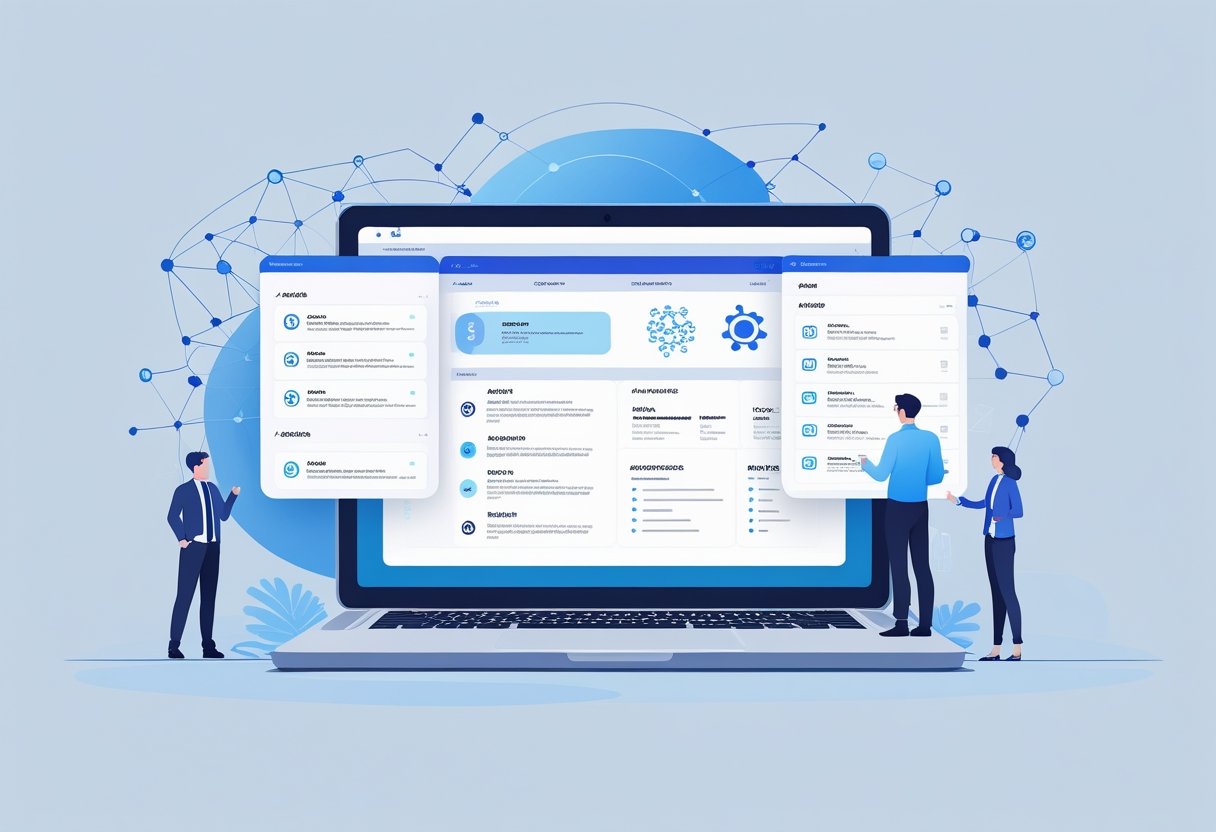
AI meeting notes templates include several essential features that help teams capture and organize meeting information effectively. These tools focus on automatic transcription, tracking action items, customizable input fields, and connecting with existing work platforms.
Automatic Transcription
AI meeting notes templates use speech recognition technology to convert spoken words into written text during meetings. This feature eliminates the need for manual note-taking and ensures no important details get missed.
The transcription accuracy depends on audio quality and speaker clarity. Most AI tools can identify different speakers and separate their comments automatically. They also remove filler words like “um” and “uh” to create cleaner transcripts.
Key transcription capabilities include:
- Real-time speech-to-text conversion
- Speaker identification and labeling
- Noise filtering and audio enhancement
- Multi-language support
Templates often provide editing options to fix any transcription errors after the meeting ends. Users can review and correct mistakes to ensure accuracy before sharing the notes with team members.
Action Items Tracking
AI templates automatically identify and extract action items from meeting discussions. The system scans transcripts for specific phrases and keywords that indicate tasks or commitments.
Common action item indicators include phrases like “I will,” “we need to,” and “by next week.” The AI creates a separate list of these tasks with assigned owners and deadlines when mentioned.
Action item features typically include:
- Automatic task detection from conversations
- Assignment to specific team members
- Deadline extraction and tracking
- Priority level identification
Some templates can send automatic reminders to task owners before due dates. This helps ensure follow-through on meeting commitments and improves accountability across the team.
Customizable Fields
Meeting templates allow users to customize data fields based on their specific needs and meeting types. Teams can add or remove sections to match their workflow and information requirements.
Standard customizable fields include meeting objectives, attendee roles, decision points, and next steps. Users can create templates for different meeting types like project updates, client calls, or team check-ins.
Common customization options:
- Meeting type selection
- Custom section headers
- Required vs. optional fields
- Formatting preferences
Templates save time by pre-populating recurring information like regular attendees or standard agenda items. This consistency helps teams maintain organized records across all their meetings.
Integration With Collaboration Tools
AI meeting notes templates connect with popular workplace platforms to streamline information sharing and task management. These integrations eliminate the need to manually copy information between different systems.
Most templates sync with project management tools, calendar applications, and team communication platforms. This allows automatic distribution of meeting summaries and action items to relevant stakeholders.
Popular integration options include:
- Project management platforms (Notion, Asana, Trello)
- Calendar systems (Google Calendar, Outlook)
- Communication tools (Slack, Microsoft Teams)
- Document storage (Google Drive, SharePoint)
Integration features often include automatic task creation in project management systems and calendar event updates with meeting summaries. This creates a seamless workflow from meeting to execution.
How to Use AI Meeting Notes Templates Effectively
AI meeting notes templates work best when users prepare properly before meetings and follow structured processes during discussions. Success depends on capturing the right information and turning decisions into trackable tasks.
Preparing for Meetings
Users should set up their AI meeting notes template before each meeting starts. This means selecting the right template type for the meeting purpose.
Different meetings need different templates. Daily standups require simple status updates and blockers. Project reviews need detailed progress tracking and next steps.
The template should include sections for:
- Meeting date and attendees
- Main agenda items
- Decision points
- Action items with owners
Users can customize templates based on their team’s needs. Some teams add budget discussions or risk assessments to their standard format.
Pre-loading attendee names helps the AI tool identify speakers correctly. This makes transcripts more accurate and useful later.
Capturing Decisions and Key Points
AI tools excel at recording what people say during meetings. However, users need to help the system identify what matters most.
Key decisions should be clearly stated during the meeting. When someone makes a choice, they should say “We’ve decided to…” or “The decision is…”
The AI will flag these statements in the final notes. This makes it easy to find important choices later.
Users should also highlight critical information as it comes up. This includes deadlines, budget numbers, and client requirements.
Some AI tools let users mark important moments in real-time. They can click a button or use voice commands to tag key points.
Follow-up discussions often contain the most valuable insights. The AI captures these natural conversations that happen after formal agenda items.
Assigning and Tracking Action Items
Action items need clear owners and deadlines to be effective. Users should state these details explicitly during meetings.
The best format is: “[Person’s name] will [specific task] by [date].” This helps AI tools extract action items accurately.
Users can create action item tables like this:
| Task | Owner | Due Date | Status |
|---|---|---|---|
| Review contract terms | Sarah | Nov 15 | Open |
| Update project timeline | Mike | Nov 12 | In Progress |
Most AI meeting tools automatically create action item lists. Users should review these lists right after meetings to catch any mistakes.
Tracking progress becomes easier when action items link to project management tools. Many AI platforms connect with tools like Asana or Monday.com.
Teams should review open action items at the start of each new meeting. This creates accountability and keeps projects moving forward.
Popular Use Cases for AI Meeting Notes Templates
AI meeting notes templates work best for meetings with specific goals and clear action items. They help teams capture key decisions, track progress, and ensure nothing gets missed during important discussions.
Project Kickoff Meetings
Project kickoff meetings need detailed documentation to set clear expectations. AI templates help capture project scope, timelines, and team roles automatically.
The templates record project objectives and success metrics without missing important details. They identify who is responsible for each task and when deadlines are due.
Key information captured includes:
- Project timeline and milestones
- Team member responsibilities
- Budget and resource requirements
- Risk factors and backup plans
AI tools can spot potential issues early by analyzing discussion patterns. They flag when team members seem unclear about their roles or when timelines appear unrealistic.
Client Consultations
Client meetings require precise documentation for future reference and billing purposes. AI templates ensure consultants capture all client requirements and commitments made during discussions.
The templates automatically organize client feedback and requests into actionable categories. They separate immediate needs from future considerations to help prioritize work.
Important elements include:
- Client pain points and challenges
- Proposed solutions and alternatives
- Pricing discussions and agreements
- Next steps and follow-up actions
AI meeting tools help consultants avoid missed requirements that could lead to scope creep. They create searchable transcripts that teams can reference when questions arise later.
Team Check-Ins
Regular team meetings benefit from consistent documentation patterns. AI templates track progress on ongoing projects and identify blockers that need attention.
The templates compare current status against previous meetings to show progress trends. They highlight recurring issues and successful strategies across multiple check-ins.
Standard tracking includes:
- Individual progress updates
- Roadblocks and challenges
- Resource needs and requests
- Wins and achievements
Team leads can spot patterns in productivity and morale through AI analysis. The tools identify when certain topics come up repeatedly or when team members need additional support.
Best Practices for Maximizing AI Meeting Notes
Effective AI meeting notes require careful review of generated summaries, verification of key details for accuracy, and proper handling of confidential information. These practices ensure organizations capture meaningful insights while protecting sensitive data.
Reviewing AI-Generated Summaries
AI-generated summaries need human oversight to catch important details and context. Users should review summaries within 24 hours of meetings while discussions remain fresh in memory.
Key areas to verify:
- Action items with correct assignees
- Deadlines and timeline accuracy
- Decision outcomes and reasoning
- Participant names and roles
Organizations using hybrid human-AI workflows report 30-50% better summary accuracy. This improvement comes from combining AI speed with human judgment.
Users should check for missing context that AI might overlook. Important tone, body language, or implied meanings often require human interpretation. These details can change how decisions should be understood.
Quick review checklist:
- Are all decisions clearly stated?
- Do action items have owners and due dates?
- Are technical terms defined correctly?
- Is the meeting purpose reflected in the summary?
Ensuring Data Accuracy
Accurate meeting notes depend on quality input and proper AI configuration. Poor audio quality or unclear speech can lead to transcription errors that affect the entire summary.
Teams should test microphone setup before important meetings. Background noise, multiple speakers talking, and poor internet connections create transcription problems.
Best practices for accuracy:
- Use high-quality microphones
- Speak clearly and at normal pace
- Avoid talking over others
- Record in quiet environments
AI models need proper training data for industry-specific terms. Legal, medical, or technical meetings may require specialized vocabulary setup. Users should update AI glossaries with company terms and acronyms.
Cross-reference important numbers, dates, and names mentioned in meetings. AI can mishear similar-sounding words or numbers. Financial figures and project deadlines need special attention during review.
Safeguarding Sensitive Information
Meeting notes often contain confidential business information that requires protection. Organizations must establish clear data handling policies before implementing AI note-taking systems.
Security measures to implement:
- End-to-end encryption for recordings
- Access controls for summary distribution
- Data retention policies
- Secure storage locations
Some meetings should exclude AI recording entirely. Personnel discussions, legal matters, or strategic planning may require traditional note-taking methods. Teams need clear guidelines about when AI tools are appropriate.
Regular security audits ensure AI systems meet compliance requirements. GDPR, HIPAA, or industry-specific regulations may affect how meeting data gets processed and stored.
Users should review sharing permissions before distributing AI-generated summaries. Accidental exposure of sensitive information can happen when summaries get shared too broadly. Default settings should limit access to meeting participants only.
Selecting the Right AI Meeting Notes Template
Choosing the right template depends on specific feature requirements and how well it integrates with team workflows. The best templates offer customization options that match unique meeting styles and organizational needs.
Evaluating Feature Sets
Transcription accuracy stands as the most critical feature. Templates should provide real-time speech-to-text conversion with high accuracy rates across different accents and speaking speeds.
Action item detection separates basic templates from advanced ones. The system should automatically identify tasks, deadlines, and assignments without manual tagging.
Key features to evaluate include:
- Recording integration with platforms like Zoom, Teams, or Google Meet
- Speaker identification to track who said what
- Keyword highlighting for important topics
- Summary generation that captures main points
Search functionality becomes essential for teams with frequent meetings. Templates should allow users to find specific discussions or decisions across multiple meeting records.
Export options matter for workflow integration. Look for templates that export to PDF, Word, or integrate directly with project management tools.
Considering Team Collaboration Needs
Team size affects template choice significantly. Small teams need simple sharing features, while large organizations require permission controls and access management.
Meeting frequency determines storage and organizational needs. Daily stand-ups require different template structures than monthly strategy sessions.
Cross-platform compatibility ensures all team members can access notes. Templates should work across Windows, Mac, and mobile devices without formatting issues.
Real-time collaboration features allow multiple people to edit and comment during meetings. This works best for teams that take shared notes or need immediate input.
Integration capabilities with existing tools like Slack, Asana, or Jira streamline workflows. Teams save time when notes automatically sync with their project management systems.
Template Customization Options
Field customization allows teams to add specific categories like budget discussions, client feedback, or technical requirements. Templates should support custom fields without breaking the layout.
Branding options help maintain professional appearance. Look for templates that allow logo insertion, color scheme changes, and header customization.
Layout flexibility accommodates different meeting types. Strategy sessions need different sections than client calls or performance reviews.
Automation rules can be customized based on meeting type. Templates might automatically add certain sections for recurring meetings or specific attendee groups.
Template versioning helps teams refine their format over time. The best systems save multiple template versions and allow easy switching between formats.
Frequently Asked Questions
AI meeting notes templates require specific elements and customization options to work effectively across different meeting formats. Users need to understand template components, integration capabilities, and free resource limitations to maximize their productivity.
What are the essential elements to include in an AI meeting notes template?
An effective AI meeting notes template contains several key components. The template should include meeting title, date, time, and participant names at the top.
The main body needs sections for agenda items, discussion points, and decisions made. Action items with assigned owners and due dates are critical elements.
Additional components include follow-up tasks, next meeting dates, and recording links. Key takeaways and summary sections help capture important outcomes quickly.
How can I customize an AI meeting notes template for different meeting types?
Daily stand-ups require brief status updates and blocker sections. Team members can track progress and identify obstacles efficiently.
Client kickoff meetings need project scope, timeline, and stakeholder information sections. Contact details and deliverable lists become essential components.
Review sessions benefit from feedback categories and rating systems. Performance metrics and improvement suggestions sections help track progress over time.
What are the best practices for managing AI-generated meeting notes effectively?
Users should review AI-generated notes immediately after meetings. Corrections and clarifications ensure accuracy before distribution.
Consistent formatting across all meeting types improves readability. Standard templates help team members locate information quickly.
Regular archive and organization prevent note accumulation. Digital filing systems with search capabilities enhance long-term accessibility.
Where can I find a free AI meeting notes template that can be used in Notion?
The Notion Marketplace offers free AI meeting notes templates from various creators. Thomas Cerulis provides a popular template for organizing and reviewing meetings.
Community forums and template sharing sites contain additional options. Users can duplicate and modify existing templates to match their needs.
Notion’s template gallery includes basic meeting note structures. These templates can be enhanced with AI integration tools for automated functionality.
Is there a limit to the amount of free AI meeting notes I can generate with Notion?
Notion itself does not limit the number of meeting notes users can create. Free accounts have workspace and block limitations that may affect usage.
Third-party AI integration tools often have usage restrictions on free plans. Services like Otter and Meeting.ai impose monthly transcription limits.
Users should check specific AI tool limitations before committing to free plans. Paid subscriptions typically remove usage restrictions and add advanced features.
Can I integrate AI meeting notes templates with other productivity tools like Excel?
Many AI meeting note platforms support export functionality to Excel and CSV formats. Users can transfer data for additional analysis and reporting.
Zapier and similar automation tools connect AI note-taking services with spreadsheet applications. These integrations enable automatic data synchronization.
Direct API connections allow custom integrations with existing workflows. Technical teams can build specific connections between AI tools and Excel systems.
Related Articles

Automatic Meeting Notes: How AI-Powered Tools Transform Workplace Productivity

Voice Notes to Text: How AI Transcription Tools Are Revolutionizing Digital Communication