
Taking notes during meetings, lectures, or research sessions can be overwhelming when information comes fast and furious. Traditional note-taking methods often leave people scrambling to capture every important detail while simultaneously trying to stay engaged in the conversation or presentation.

AI note-taking tools use artificial intelligence to automatically record, transcribe, and organize information from audio, video, or text sources, making it easier to capture and review important details without missing key points. These smart applications go beyond basic transcription by summarizing content, highlighting important sections, and even generating follow-up questions or action items.
The technology has advanced significantly in 2025, with AI note taking apps now offering features like real-time collaboration, automatic meeting summaries, and integration with popular productivity tools. Users can focus on participating in discussions while the AI handles the heavy lifting of documentation and organization.
Key Takeaways
- AI note-taking tools automatically capture and organize information from meetings, lectures, and other sources using artificial intelligence
- Modern AI note taking apps offer advanced features like summarization, action item extraction, and seamless integration with existing workflows
- These tools help users stay engaged in conversations while ensuring important details are accurately recorded and easily accessible later
What Is AI Note-Taking?
AI note-taking uses artificial intelligence to automatically capture, organize, and process information from meetings, lectures, and conversations. This technology transforms how people record and manage their notes through voice-to-text conversion and smart organization features.
How AI Transforms Traditional Note-Taking
Traditional note-taking requires people to write or type everything by hand. This method is slow and makes it hard to focus on what someone is saying. People often miss important details while trying to keep up.
AI-powered note-taking changes this completely. The technology listens to spoken words and converts them into text automatically. Users can focus on understanding the conversation instead of writing everything down.
Key differences include:
- Speed: AI can transcribe faster than humans can type
- Accuracy: Advanced systems catch details people might miss
- Organization: AI sorts and structures notes automatically
- Search: Users can find specific information quickly
An ai note-taker works in real-time during meetings. It captures every word and turns speech into readable text. The system can also identify different speakers and organize their comments separately.
Some tools go beyond basic transcription. They create summaries, highlight key points, and even suggest action items. This helps users get more value from their meetings and conversations.
Key Terminology in AI Note-Taking
Understanding common terms helps users choose the right tools. Automatic transcription means the system converts speech to text without human help. This happens in real-time as people speak.
Voice-to-text technology powers most ai note-taking apps. It uses artificial intelligence to understand spoken words and convert them into written text. The best systems work with different accents and languages.
Transcribe refers to the process of turning audio into text. AI tools can transcribe live conversations or recorded files. Many apps can handle multiple speakers and background noise.
Essential features to know:
- Real-time processing: Converts speech instantly
- Speaker identification: Labels who said what
- Noise filtering: Reduces background sounds
- Multi-language support: Works in different languages
Some systems also offer semantic search. This lets users find information based on meaning, not just exact words. For example, searching for “budget” might find notes about “costs” or “expenses” too.
Grammar correction is another common feature. The AI fixes mistakes and improves sentence structure automatically. This makes the final notes easier to read and more professional.
Core Features of AI Note-Taking Tools
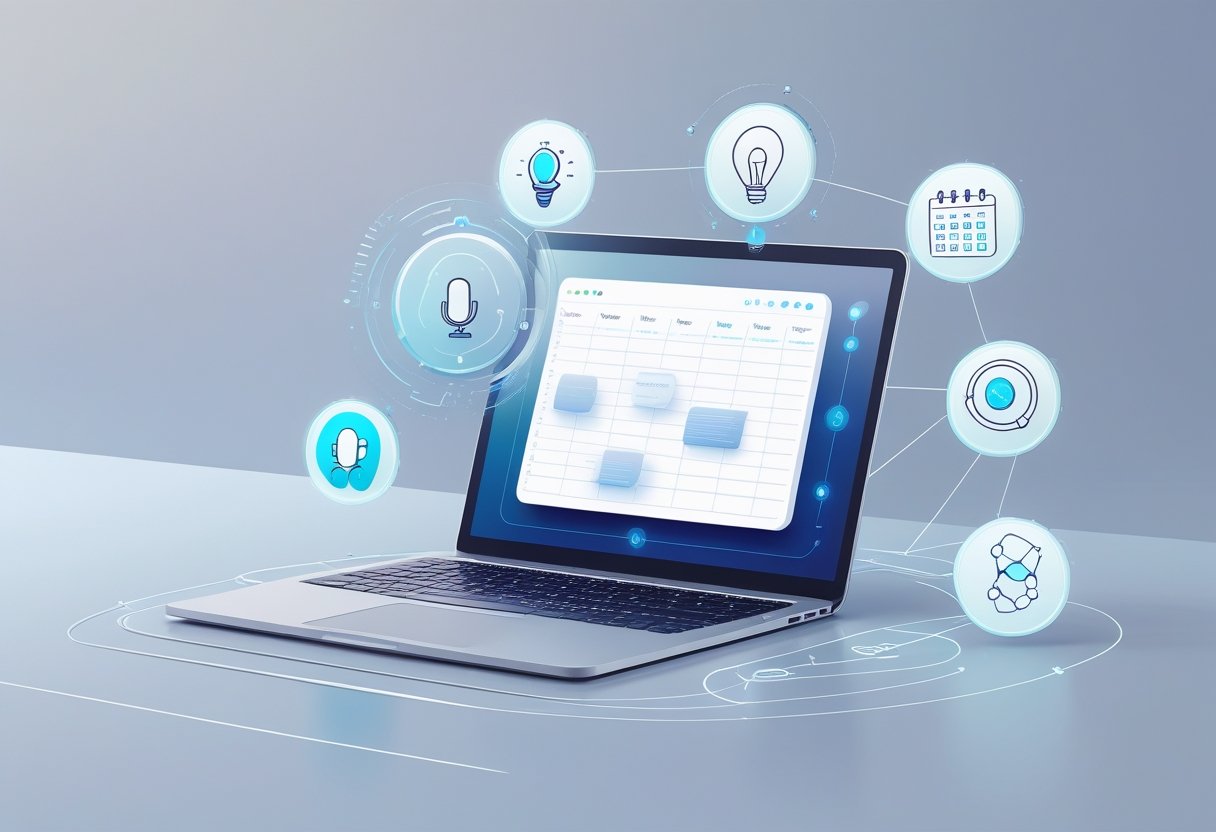
AI note-taking tools offer automatic transcription with high accuracy rates, intelligent summarization of content, and speaker identification for meetings. These platforms also provide strong security measures and compliance standards to protect sensitive information.
Real-Time Transcription and Accuracy
Live transcription captures spoken words instantly during meetings, lectures, or conversations. Most AI transcription tools achieve accuracy rates between 85-95% for clear audio.
The quality depends on factors like background noise, speaker clarity, and internet connection. Advanced systems use machine learning to improve accuracy over time.
Automatic transcription works with various audio formats and sources. Users can upload recordings or connect directly to video conferencing platforms.
Many tools support multilingual transcription for global teams. Popular languages include English, Spanish, French, German, and Japanese.
Meeting recording integration allows seamless capture from Zoom, Teams, and other platforms. The AI processes audio in real-time without disrupting the meeting flow.
Some platforms offer offline transcription for sensitive meetings. This keeps data local while maintaining transcription capabilities.
Summarization and Key Takeaways
AI-powered summaries extract the most important points from long meetings or documents. These summaries typically reduce content by 70-80% while keeping essential information.
The AI identifies key topics, decisions, and action items automatically. Users receive condensed versions within minutes of meeting completion.
AI-generated summaries can be customized by length and focus areas. Options include executive summaries, technical details, or action-oriented outputs.
Advanced tools create different summary types for different audiences. Meeting organizers get detailed reports while participants receive simplified versions.
Meeting highlights feature timestamps for easy navigation. Users can jump directly to important moments in the original recording.
Some platforms generate bullet-point summaries and paragraph formats. This gives users flexibility in how they consume information.
Speaker Identification and Meeting Highlights
Speaker identification labels who said what during conversations. The AI distinguishes between different voices and assigns names or labels to each participant.
Most tools require brief voice samples or introductions for accurate identification. Once trained, they maintain speaker profiles for future meetings.
Meeting transcript formatting shows clear speaker changes and timestamps. This makes it easy to follow conversation flow and attribute statements correctly.
The technology works with up to 10-15 speakers in most cases. Larger groups may require manual speaker labeling for best results.
Meeting transcription includes non-verbal cues like laughter or pauses in some advanced systems. This provides context beyond just spoken words.
Integration with calendar systems automatically pulls participant names. This eliminates manual setup for recurring team meetings.
Security, Privacy, and Compliance
Security measures include end-to-end encryption for audio files and transcripts. Data encryption protects information both in transit and at rest.
Many enterprise tools offer SOC 2 compliance certification. This ensures they meet strict standards for data handling and security controls.
Compliance features include data retention policies and deletion schedules. Organizations can set automatic deletion after specific time periods.
GDPR and HIPAA compliance options exist for regulated industries. These include additional privacy controls and audit trails.
Role-based access controls limit who can view transcripts and recordings. Administrators can set permissions at the user or group level.
Some platforms offer on-premises deployment for maximum data control. This keeps sensitive information within company infrastructure while maintaining AI capabilities.
Best AI Note-Taking Apps in 2025

AI note-taking tools have evolved to offer specialized features for different use cases, from real-time meeting transcription to study assistance and project management. These apps combine smart recording, automatic summarization, and workflow integrations to boost productivity across various scenarios.
Top AI Note-Taking Tools for Meetings
Otter.ai leads the meeting transcription space with accurate real-time recording and speaker identification. The AI meeting assistant automatically creates meeting notes and highlights key action items. Users can search through past conversations and share summaries with team members.
Fireflies.ai excels at capturing meeting details across video platforms like Zoom and Teams. The meeting assistant generates structured notes and integrates with popular CRM systems. Teams can review conversation highlights and track follow-up tasks efficiently.
Fathom focuses on sales meetings and customer calls. It records conversations and creates detailed summaries that sync with CRM integrations automatically. The tool helps sales teams track client interactions and identify important discussion points.
Grain specializes in customer-facing meetings and product research. It captures video calls and creates searchable meeting notes. Teams use it to analyze customer feedback and share insights across departments.
AI Note-Taking Apps for Study and Learning
Notion AI transforms traditional note-taking with smart formatting and content suggestions. Students can create structured notes, generate study summaries, and organize research materials in one workspace. The AI helps expand ideas and create study guides from existing notes.
NoteGPT specializes in processing lecture content and research papers. It creates lecture summaries and generates flashcards from uploaded materials. Students can ask questions about their notes and get instant explanations of complex topics.
Evernote uses AI to enhance note organization and search capabilities. The app scans handwritten notes and makes them searchable. Students can clip web articles, organize study materials, and create mind maps for better learning retention.
Mem AI connects related notes automatically and surfaces relevant information while studying. It acts as a study companion by linking concepts across different subjects and suggesting connections between ideas.
Apps for Project and Task Management
ClickUp combines AI note-taking with comprehensive project management tools. Teams can capture meeting notes that automatically convert into tasks and project updates. The AI helps organize project documentation and track progress across multiple initiatives.
Tactiq focuses on extracting actionable items from meeting transcripts. It identifies tasks, deadlines, and assignments from recorded conversations. Project managers use it to ensure nothing falls through the cracks during team discussions.
Sembly AI creates detailed meeting summaries that integrate with task management workflows. It tracks project decisions and assigns action items to team members. The tool helps maintain project momentum by documenting all important discussions and outcomes.
AI Note-Taking Apps for Team Collaboration
MeetGeek enables team-wide access to meeting insights and collaboration tools. Multiple team members can comment on transcripts and add notes to shared meeting records. The platform creates a searchable knowledge base of team discussions and decisions.
Avoma provides conversation intelligence for revenue teams. It analyzes customer interactions and shares insights across sales, marketing, and customer success teams. The collaboration features help teams align on customer needs and opportunities.
Notta offers real-time collaboration during live meetings with shared note-taking capabilities. Team members can contribute to organized notes simultaneously and access meeting recordings together. The tool supports multiple languages for global team collaboration.
Granola focuses on hybrid meeting experiences where some participants join remotely. It ensures all team members have access to the same meeting notes and discussion points regardless of their location.
Integrations and Workflow Automation
AI note-taking tools become more powerful when they connect with existing business software. These connections link meeting platforms, customer management systems, and file storage services to create smooth workflows.
Calendar and Meeting Platform Integration
Calendar integration lets AI note-taking apps start recording automatically when meetings begin. Google Meet, Zoom, and Microsoft Teams work with most AI note tools to capture conversations without manual setup.
Outlook and Google Calendar sync meeting details directly into notes. The AI tool pulls attendee names, meeting topics, and scheduled times. This creates organized note files before meetings even start.
Meeting platform connections also share recordings and transcripts back to calendar events. Team members who missed meetings can access notes through their calendar apps. Some tools send automatic meeting summaries to all attendees within minutes of ending calls.
Popular integrations include:
- Zoom with Otter.ai and Notion
- Google Meet with Fireflies.ai
- Microsoft Teams with OneNote and Copilot
CRM and Project Management Integrations
Customer relationship management systems like Salesforce and HubSpot connect with AI note-taking tools to update client records automatically. Sales call notes flow directly into customer profiles without manual data entry.
Salesforce integration captures client conversations and updates deal stages based on meeting outcomes. The AI identifies action items and creates follow-up tasks in the CRM system.
Project management platforms like Asana, Trello, and Monday.com turn meeting notes into project tasks. The AI pulls out deadlines, assignments, and project updates from conversations.
HubSpot users can track customer interactions across multiple touchpoints. Meeting notes combine with email logs and website visits to create complete customer timelines.
Cloud Storage and Collaboration Integrations
Google Drive and Dropbox integrations store AI-generated notes in shared folders automatically. Teams access meeting transcripts and summaries from their existing file systems.
Slack connections post meeting summaries to relevant channels. Team members who missed calls get quick updates without searching through email. The AI can also create dedicated channels for project-specific meeting notes.
Google Docs integration turns voice notes into formatted documents. Multiple team members can edit and comment on AI transcripts in real-time. Version history tracks changes and updates to meeting notes.
File naming follows consistent patterns based on meeting dates, attendees, and topics. This makes finding specific notes easier across large organizations with hundreds of meetings per week.
AI Note-Taking for Different Use Cases
AI-powered note-taking tools serve specific needs across education, business, and content creation. These tools offer specialized features like meeting assistants, study companions, and automated summary generation.
Educational Applications and Study Enhancement
AI note-taking apps transform how students learn and review material. These tools convert lecture recordings into organized study notes and create interactive learning materials.
Students can upload audio recordings from classes. The AI transcribes the content and highlights key concepts automatically. This saves hours of manual note-taking during fast-paced lectures.
Many apps generate flashcards from transcribed content. They identify important terms and definitions. Students can review these cards on mobile devices during breaks or commutes.
Lecture summaries help students quickly review main points before exams. The AI identifies the most important information from long recordings. This makes study sessions more focused and efficient.
Some tools act as a study companion by answering questions about notes. Students can ask about specific topics covered in class. The AI provides explanations based on their recorded material.
Business Meetings and Virtual Collaboration
Meeting assistants record and transcribe business discussions automatically. They capture every detail without participants needing to take manual notes. This lets team members focus completely on the conversation.
AI tools create detailed meeting summaries within minutes of ending a call. These summaries include key decisions, important topics, and next steps. Team members receive organized information instead of raw transcripts.
Action items get extracted and assigned automatically. The AI identifies tasks mentioned during meetings. It can determine who is responsible and when items are due.
Virtual meetings benefit greatly from AI note-taking features. Tools like tl;dv integrate with popular video platforms. They provide real-time transcription and post-meeting analysis for remote teams.
Recruiters, Sales, and Customer Success
Recruiters use AI note-taking to track candidate interviews efficiently. The tools record phone calls and video interviews automatically. They extract key qualifications and candidate responses for easy comparison.
Sales teams rely on AI to capture client conversations and identify opportunities. The technology notes customer pain points and buying signals. This information helps sales representatives follow up more effectively.
Customer success teams use these tools to document support calls. AI identifies common issues and tracks resolution methods. This creates a knowledge base for future customer interactions.
Content Generation and Research
AI note-taking excels at content generation from research materials. Writers can upload multiple sources and receive organized summaries. The tools identify connections between different pieces of information.
Summary generation helps researchers process large amounts of content quickly. They can feed articles, reports, and studies into AI tools. The output provides concise overviews of complex topics.
Content creators use AI to transform interview recordings into blog posts and articles. The tools structure raw conversations into readable formats. This speeds up the writing process significantly.
Plans, Pricing, and Choosing the Right AI Note-Taking App
Most AI note-taking apps offer tiered pricing structures that range from free basic plans to enterprise solutions. Understanding the features and limitations at each level helps users select the most cost-effective option for their specific needs.
Free Plans and Limitations
Free plans typically provide basic transcription and note-taking features with significant restrictions. Most services limit users to 300-600 minutes of recording time per month. The audio quality may be capped at lower bitrates.
Storage limitations are common in free tiers. Users often receive 100-500 MB of cloud storage for their recordings and notes. File export options may be restricted to basic formats like plain text or PDF.
Advanced AI features like speaker identification, custom vocabulary, and integration with productivity apps are usually unavailable in free versions. Real-time collaboration tools are often limited to 2-3 participants maximum.
Free plans serve as trial periods for most users. They work well for occasional note-taking but become restrictive for regular business or academic use.
Team and Unlimited Plans
Team plans start around $10-25 per user monthly and unlock collaboration features. These plans typically include shared workspaces, admin controls, and bulk transcription capabilities. Recording limits increase to 1,200-3,000 minutes per month per user.
Unlimited plans range from $20-50 monthly for individual users. They remove time restrictions on recordings and provide enhanced AI accuracy. Premium features like custom vocabularies, advanced search, and priority processing become available.
Enterprise solutions offer custom pricing based on team size and specific requirements. These plans include single sign-on, advanced security controls, and dedicated support channels.
Most providers offer annual discounts of 15-30% compared to monthly billing. Educational institutions often receive additional discounts on team and unlimited plans.
Evaluating Pricing Against Features
Pricing evaluation should focus on cost per minute of transcription and essential feature availability. Apps charging $0.05-0.15 per minute of audio represent typical market rates for premium accuracy.
Integration capabilities justify higher costs for business users. Apps that connect with Slack, Microsoft Teams, or CRM systems provide more value than standalone tools. Advanced search and organization features reduce time spent managing notes.
Consider transcription accuracy rates when comparing prices. Services with 95%+ accuracy save editing time and prove more valuable than cheaper alternatives with lower precision. Real-time transcription capabilities command premium pricing but increase productivity during live meetings.
Storage costs vary significantly between providers. Some include unlimited cloud storage while others charge additional fees after specific thresholds. Factor in long-term storage needs when calculating total ownership costs.
Frequently Asked Questions
AI note-taking apps provide features like real-time transcription, automatic summarization, and multi-modal input across different price points. Users need to consider factors like offline capabilities, data security measures, and specific functionality when choosing the right tool for their needs.
What are the top-rated AI note-taking apps currently available?
Several AI note-taking apps lead the market in 2025. Popular options include OktoNote, which offers multi-modal input and offline capabilities. Goodnotes AI provides dynamic interaction with notebooks to improve productivity.
NoteGPT focuses on enhancing learning efficiency through AI-powered features. Owll integrates AI audio processing with note-taking functions. VoiceScriber processes everything locally on devices for enhanced privacy.
MinutesLink specializes in transcription and summary creation for remote teams. Each app offers different strengths depending on user needs and preferences.
How does AI assist in the process of taking notes more effectively?
AI note-taking tools use speech recognition technology to convert spoken words into text automatically. They record audio from meetings, lectures, or calls and create accurate transcriptions in real-time.
These programs identify and highlight key information like action items and important points. AI algorithms can generate summaries of lengthy content to save time during review.
The technology recognizes multiple speakers and can organize notes by topic or theme. This reduces the manual effort required during fast-paced discussions or presentations.
Are there any AI note-taking options that are free of charge?
Many AI note-taking apps offer free versions with basic features. These typically include limited transcription minutes or reduced storage capacity compared to paid plans.
Free tiers often provide core functionality like speech-to-text conversion and simple note organization. Users can test different apps to find the best fit before upgrading to premium features.
Some apps may restrict advanced AI features like detailed summaries or multi-language support to paid subscribers. Students and casual users can often meet their needs with free options.
What features should students look for in an AI note-taking tool?
Students should prioritize apps with accurate speech recognition for lecture transcription. Real-time note-taking during fast-paced classes helps capture all important information without missing details.
Organization features like tagging, folders, and search functions help manage notes across multiple subjects. Integration with other study tools and cloud storage ensures access from any device.
Summary generation and key point extraction help with exam preparation and review sessions. Offline functionality allows note-taking without internet connectivity in various campus locations.
How do AI note-taking apps ensure the privacy and security of user data?
Privacy approaches vary significantly between different AI note-taking applications. Some apps like VoiceScriber process all data locally on devices, meaning voice notes never leave the user’s phone.
Cloud-based services typically encrypt data during transmission and storage. They may store recordings on secure servers with access controls and regular security updates.
Users should review privacy policies to understand how their data gets used, shared, or stored. Some apps allow users to delete recordings after transcription while others retain data for service improvements.
What are the differences between various AI note-taking software in terms of functionality and usability?
AI note-taking apps differ in their core processing methods and feature sets. Local processing apps work offline but may have limited functionality compared to cloud-based alternatives.
Some focus on meeting transcription and collaboration features for business users. Others target students with lecture recording and study enhancement tools.
User interfaces range from simple text editors to complex notebook systems with drawing capabilities. Integration options vary, with some apps connecting to calendars, email, and project management tools while others operate independently.
Related Articles

Automatic Meeting Notes: How AI-Powered Tools Transform Workplace Productivity
Voice Notes to Text: How AI Transcription Tools Are Revolutionizing Digital Communication