
Remote teams face a constant challenge when it comes to capturing and sharing important meeting information. Team members often struggle to take detailed notes while staying engaged in discussions, leading to missed action items and unclear follow-ups. This problem becomes even more complex when working across different time zones and managing multiple virtual meetings each day.
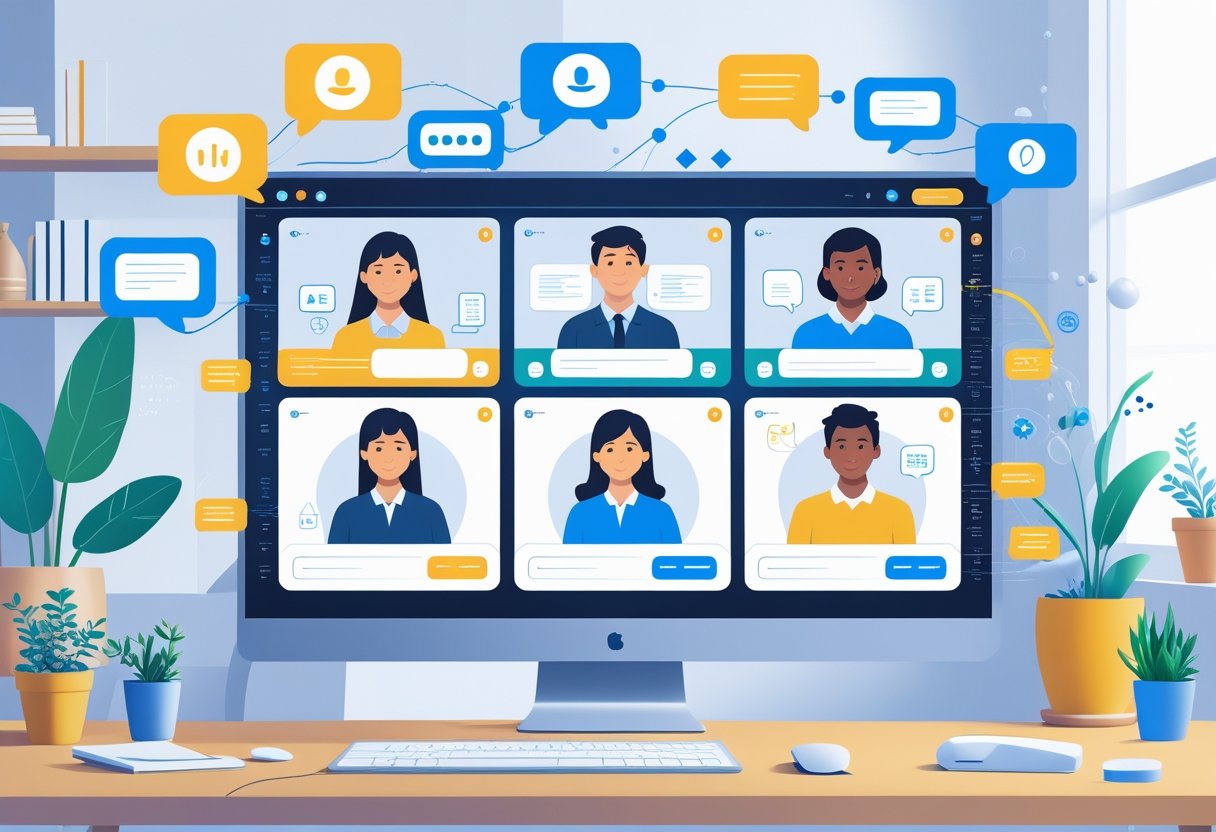
AI note-taking tools automatically capture, organize, and summarize meeting discussions, allowing remote teams to focus on collaboration instead of manual documentation. These intelligent systems can identify key decisions, extract action items, and create structured summaries that team members can review and share immediately after meetings end.
The technology works seamlessly with popular platforms like Microsoft Teams, Zoom, and other video conferencing tools. Remote teams that implement AI note-taking solutions often see improved accountability, better meeting follow-through, and more efficient collaboration across distributed team members.
Key Takeaways
- AI note-taking tools automatically capture and organize meeting content so remote teams can focus on collaboration instead of manual documentation
- Leading AI solutions integrate directly with popular video platforms and offer features like action item extraction and meeting summaries
- Successful implementation requires proper setup, team training, and attention to security policies to maximize adoption and productivity
The Importance of AI Note-Taking for Remote Teams
Remote teams face unique challenges when documenting meetings and sharing information across different time zones and locations. AI note-taking tools address these problems by automating documentation, improving team alignment, and creating accessible records for all team members.
Challenges of Traditional Note-Taking for Distributed Teams
Manual note-taking creates significant problems for remote teams. Team members often miss important details while trying to participate in discussions and write notes at the same time.
Inconsistent documentation becomes a major issue when different people take notes. Each person captures different information based on their perspective and role. This leads to confusion about what was actually decided or discussed.
Time zone differences make traditional note-taking even harder. Team members who join meetings at inconvenient hours struggle to stay focused on both listening and writing. Those who miss meetings entirely must rely on incomplete or unclear notes from others.
Accessibility problems arise when handwritten notes or personal documents aren’t shared properly. Important information gets trapped in individual notebooks or files that other team members cannot access.
Language barriers also impact note quality. Non-native speakers may miss nuances or struggle to capture complex technical discussions accurately.
Productivity Gains and Time Savings
AI note-taking tools eliminate the need for manual documentation during meetings. Team members can focus completely on discussions and decision-making instead of writing.
Automated transcription captures every word spoken during meetings. This ensures no important details are lost and provides complete records for future reference.
Meeting preparation time decreases significantly. Teams no longer need to assign specific note-takers or worry about who will document each session.
Post-meeting tasks become much faster. AI tools often generate action items and summaries automatically. This reduces the time spent creating meeting minutes from hours to minutes.
Search capabilities in AI note-taking systems help teams find specific information quickly. Instead of reading through multiple documents, users can search for keywords or topics across all meeting records.
The mental load on team members decreases when they don’t have to worry about capturing everything manually. This leads to better participation and more creative thinking during discussions.
Alignment and Collaboration Benefits
AI note-taking creates centralized knowledge bases that all team members can access regardless of location. Everyone gets the same information, which improves team alignment.
Real-time sharing ensures that important updates reach all team members immediately. Remote workers get access to meeting content even if they couldn’t attend the original session.
Decision tracking becomes much clearer with AI-generated meeting records. Teams can easily reference past discussions and understand how decisions were made.
Accountability improves when action items and responsibilities are automatically documented and shared. Team members can see their assigned tasks clearly without confusion.
Project continuity benefits when team members leave or new people join. Complete meeting histories provide context that helps new team members understand project background quickly.
Cross-team collaboration gets easier when meeting notes are properly stored and searchable. Different departments can access relevant information without scheduling additional meetings.
How AI Note-Taking Works in Remote Meeting Environments

AI note-taking systems use speech recognition to capture audio, natural language processing to understand content, and smart algorithms to extract important decisions and tasks. These tools work automatically during video calls to create organized meeting documentation.
Speech Recognition and Audio Capture
AI note takers start by capturing audio from remote meetings through direct integration with video platforms. The speech recognition technology converts spoken words into text in real-time.
Modern AI meeting assistants connect to popular platforms like Zoom, Microsoft Teams, and Google Meet. They access the audio stream directly from these applications.
The real-time transcription process happens automatically once participants join the meeting. No manual setup is needed during the call.
Advanced systems can handle multiple speakers at once. They identify different voices and separate who said what in the transcript.
Key audio capture features:
- Direct platform integration
- Multi-speaker recognition
- Background noise filtering
- Real-time processing
The technology works even when participants have different accents or speaking speeds. Machine learning improves accuracy over time as the system learns from more meetings.
Natural Language Processing and Summarization
Natural language processing (NLP) takes the raw transcript and makes sense of the content. This step turns long conversations into useful meeting notes.
The AI meeting assistant analyzes sentence structure and meaning. It identifies the main topics discussed during the call.
NLP processing includes:
- Topic identification
- Key point extraction
- Context understanding
- Content organization
Meeting summaries get created automatically from the full transcript. The system picks out the most important information and removes unnecessary details.
The AI transcription technology can tell the difference between casual chat and important business decisions. It focuses on content that matters for work outcomes.
Smart algorithms organize information by topic or speaker. This makes the final meeting notes easier to read and reference later.
Action Item and Decision Extraction
AI systems scan meeting transcripts to find specific action items and decisions. They look for phrases like “we need to” or “John will handle” to identify tasks.
Common action item indicators:
- Assignment phrases (“Sarah will…”)
- Deadline mentions (“by Friday”)
- Task descriptions (“need to complete”)
- Follow-up requirements (“check back on”)
The AI note taker creates a separate list of action points with assigned owners. Each item includes who is responsible and any mentioned deadlines.
Decision extraction works by finding conclusive statements and agreements. The system identifies when teams reach final choices on important topics.
Actionable insights get formatted into clear categories. Teams can quickly see what needs to happen next without reading the full transcript.
Action item tracking becomes automatic once the AI processes the meeting content. Team members receive organized lists they can add to their task management systems.
Key Features of Leading AI Note-Taking Tools

Modern AI note-taking platforms offer real-time transcription that captures every word spoken during meetings. These tools generate smart summaries with action items and provide multi-language support to help global teams work together effectively.
Real-Time Transcription and Live Notes
AI tools like Otter.ai and Fireflies.ai capture spoken words as they happen during meetings. The software converts speech to text instantly, creating live notes that team members can see on their screens.
These platforms use advanced speech recognition to identify different speakers. They create timestamped highlights that show who said what and when. This helps remote workers follow along even if they join late.
Key transcription features include:
- Speaker identification and labeling
- Punctuation and formatting in real-time
- Searchable text that saves automatically
- Integration with video platforms like Zoom and Teams
Tools like Krisp AI add noise cancellation to improve transcription quality. They filter out background sounds so the AI can focus on clear speech. This makes the final notes more accurate and easier to read.
Actionable Meeting Summaries and Highlights
Leading AI platforms create structured meeting summaries that go beyond basic transcripts. Tools like MeetGeek and Fathom AI pull out key decisions, action items, and important topics discussed.
These summaries organize information into clear sections. They highlight who needs to do what by when. This makes meeting follow-up much easier for remote teams.
Summary features typically include:
- Action items with assigned owners
- Key decisions and outcomes
- Important topics and themes
- Next steps and deadlines
The AI identifies urgent items and flags them for quick attention. Some tools send automatic follow-up emails with assigned tasks. This helps ensure nothing gets forgotten after the meeting ends.
Multi-Language Support and Accessibility
Modern AI note-taking tools work with many different languages to support global remote teams. Platforms like Fireflies.ai can transcribe meetings held in Spanish, French, German, and dozens of other languages.
These tools help teams where English is not everyone’s first language. They can translate key points and summaries into different languages automatically. This makes sure all team members understand important information.
Accessibility features include:
- Real-time translation capabilities
- Support for 50+ languages
- Text formatting for screen readers
- Keyboard shortcuts for easy navigation
Some platforms offer voice commands for hands-free operation. Others provide large text options and high contrast modes. These features help team members with different needs participate fully in meetings.
AI Note-Taking in Microsoft Teams and Integration Options
Microsoft Teams offers built-in AI note-taking through native features and Microsoft Copilot, while third-party apps like Otter.ai and Fireflies.ai provide additional capabilities. Teams can also integrate these tools with project management systems to streamline workflows.
Native AI Features in Microsoft Teams and Microsoft Copilot
Microsoft Teams includes several built-in AI note-taking features that work automatically during meetings. The Facilitator Agent captures key discussion points, action items, and follow-up tasks in real-time without manual input.
Microsoft Copilot enhances these capabilities significantly. It provides intelligent meeting recaps that summarize conversations and highlight important decisions. Users can access these notes through the chat interface or by clicking “Open AI Notes” in the desktop app.
The system integrates with Microsoft Loop for collaborative editing. Team members can modify notes during meetings and add context after sessions end. This creates a shared workspace where everyone can contribute to meeting documentation.
To enable these features, administrators must activate the Facilitator Agent in Teams settings. Users can then toggle the AI note-taking function on or off for individual meetings. The notes appear automatically in the meeting chat and remain accessible for future reference.
Third-Party AI Note-Taking Apps for Teams
Several specialized AI note-taking apps integrate directly with Microsoft Teams to provide enhanced functionality. Otter.ai offers real-time transcription with speaker identification and keyword search capabilities across meeting recordings.
Fireflies.ai focuses on conversation analytics and automated meeting summaries. It can identify action items, questions, and key topics discussed during Teams calls. The platform stores all meeting data in a searchable database.
MeetGeek provides detailed meeting insights and performance metrics. It tracks speaking time, engagement levels, and conversation patterns. Fathom AI specializes in sales call analysis and CRM integration for Teams meetings.
Fellow combines note-taking with meeting agenda management. It helps teams prepare for meetings and track follow-up items across multiple sessions. These third-party tools typically require installation permissions from IT administrators.
Most apps offer free tiers with basic features and paid plans for advanced analytics. Organizations must consider data security policies when allowing external AI note takers to access meeting content.
Integration with Project Management and CRM Tools
AI note-taking apps can connect Teams meetings directly to project management platforms and CRM systems. This integration automatically transfers meeting notes, action items, and decisions into existing workflows.
Project management tools like Asana, Trello, and Monday.com receive meeting summaries and task assignments. Team members see new action items appear in their project boards without manual data entry.
CRM systems benefit from automatic call logging and client interaction tracking. Sales teams can review conversation highlights and follow-up requirements directly in their CRM platform. This eliminates duplicate data entry and improves customer relationship management.
The integration typically works through API connections or built-in app connectors. Teams can set up rules to automatically create tasks, update project status, or log client interactions based on meeting content. This streamlines the transition from discussion to execution across different business systems.
Security, Privacy, and Compliance in AI Note-Taking
AI note-taking tools handle sensitive business conversations and confidential information. Teams must ensure these platforms meet strict security standards and protect data through proper access controls.
Enterprise-Grade Security Standards
Enterprise-grade security protects business data from unauthorized access and cyber threats. AI note-taking platforms must use industry-standard encryption to secure data both in transit and at rest.
Most reliable AI transcription services encrypt data using AES-256 encryption. This military-grade protection makes it nearly impossible for hackers to access meeting content.
Key security features teams should require:
- End-to-end encryption for all audio and text data
- Multi-factor authentication for user accounts
- Regular security audits by third-party experts
- SOC 2 Type II compliance certification
- Data backup and recovery systems
Companies should verify that AI note-taking vendors store data in secure data centers. These facilities must have physical security measures like biometric access controls and 24/7 monitoring.
Some platforms offer on-premises deployment options. This allows organizations to keep all meeting data within their own secure networks.
Data Privacy in Meeting Transcription
AI transcription creates permanent records of spoken conversations. Organizations must control how this sensitive information gets collected, stored, and shared.
Meeting participants should always know when AI tools are recording or transcribing. Clear notification policies help maintain trust and meet legal requirements in many regions.
Privacy protection measures include:
| Protection Method | Description |
|---|---|
| Data minimization | Only collect necessary meeting information |
| Retention limits | Delete transcripts after set time periods |
| Location controls | Choose data storage geographic regions |
| Consent tracking | Record participant approval for transcription |
GDPR compliance requires explicit consent from all meeting attendees. Companies operating in Europe must allow participants to opt out of AI transcription without consequences.
Some AI note-taking tools automatically redact sensitive information like credit card numbers or social security numbers. This feature reduces privacy risks in recorded conversations.
User Permissions and Access Controls
Access controls determine who can view, edit, or share meeting transcripts. Teams need granular permission systems to protect confidential business discussions.
Role-based access ensures only authorized team members see relevant meeting content. Administrators can assign different permission levels based on job responsibilities and security clearance.
Common permission levels:
- View only – Read transcripts but cannot edit or share
- Edit access – Modify transcript content and add comments
- Admin rights – Full control including deletion and sharing settings
- Guest access – Limited viewing for external participants
Meeting organizers should review participant lists before enabling AI transcription. Accidentally including external attendees can expose internal company information.
Many platforms offer automatic access expiration dates. This prevents former employees or contractors from accessing meeting records after projects end.
Teams can also set up approval workflows for sharing transcripts outside the organization. This extra step prevents accidental data leaks to competitors or unauthorized parties.
Best Practices for Implementation and Maximizing Team Adoption
Successful AI note-taking implementation depends on proper team preparation, seamless integration with existing productivity tools, and addressing resistance before it affects adoption rates.
Onboarding and Feature Customization
Training sessions should focus on core features first. Teams need hands-on practice with recording, transcription, and basic editing functions before moving to advanced features.
Start with a pilot group of 3-5 team members. These early adopters can test the system and provide feedback before company-wide rollout.
Configure templates for different meeting types. Create separate templates for:
- Daily standups
- Client presentations
- Project reviews
- Brainstorming sessions
Set up user permissions based on team roles. Managers might need full editing access while other team members only need viewing permissions for certain notes.
Customize integration settings with existing productivity tools like Slack, Trello, or Asana. This reduces the learning curve and keeps workflows familiar.
Schedule follow-up training sessions after the first week. Address questions that come up during real meeting scenarios.
Workflow Integration for Remote Teams
Connect AI note-taking tools directly to video conferencing platforms. Most tools integrate with Zoom, Teams, and Google Meet for automatic recording and transcription.
Create standardized processes for meeting follow-up. Establish who reviews notes, when action items get assigned, and how information flows to team members who missed meetings.
Set up automated sharing rules. Notes can be sent to specific team channels or project management tools immediately after meetings end.
Use tagging systems for easy searchability. Common tags include project names, client names, and action item categories.
Establish note-taking responsibilities for each meeting type. Designate who starts recording, who reviews transcripts for accuracy, and who distributes final notes.
Link notes to team collaboration platforms. This creates a central knowledge base where remote team members can access information regardless of their time zone.
Overcoming Common Challenges and Mistakes
Address privacy concerns upfront. Explain data storage policies and get explicit consent from all meeting participants before recording begins.
Combat resistance by showing concrete time savings. Demonstrate how AI tools reduce manual note-taking from 30 minutes to 5 minutes per meeting.
Avoid over-relying on automation. Always review AI-generated notes for accuracy before sharing with clients or stakeholders.
Train teams on prompt optimization. Better prompts lead to more useful summaries and action item extraction.
Handle technical issues proactively. Have backup recording methods and test audio quality before important meetings start.
Set realistic expectations about accuracy rates. Current AI tools achieve 85-95% accuracy but still need human review for critical information.
Create feedback loops for continuous improvement. Regular check-ins help identify pain points and optimize the implementation process.
Frequently Asked Questions
Remote teams often need specific guidance on selecting and implementing AI note-taking solutions. These tools can save teams up to 5 hours per week while improving meeting accuracy and collaboration.
What are the top-rated AI note-taking tools for remote teams?
Several AI note-taking platforms stand out for remote team use. Microsoft Teams includes built-in AI-powered transcription and Copilot for automatic note generation.
Third-party solutions like TeamsMaestro use multiple transcription engines including Gladia, Assembly, Google, AWS, and Microsoft. They combine these with advanced language models like ChatGPT and Claude for comprehensive meeting summaries.
MinutesLink provides streamlined transcription and concise summary creation. These tools focus specifically on remote team collaboration needs.
How can remote teams implement AI note-taking within Microsoft Teams?
Microsoft Teams offers native AI note-taking through two main features. Teams includes manual note-taking capabilities alongside AI-powered live transcription.
Microsoft Copilot can be enabled for automatic note generation during Teams meetings. This feature leverages AI to create comprehensive meeting summaries without manual input.
Teams administrators need to configure these settings properly for optimal performance. The setup process involves enabling transcription permissions and Copilot access for meeting participants.
Which AI note-taking applications offer free services suitable for remote teams?
Many AI note-taking tools provide free tiers for small remote teams. Microsoft Teams includes basic transcription features at no additional cost for licensed users.
Some third-party platforms offer limited free versions with basic transcription capabilities. These typically include restrictions on meeting duration or monthly usage limits.
Teams should evaluate free tier limitations against their meeting frequency and size requirements. Paid versions usually remove these restrictions and add advanced features.
What features should be considered when selecting an AI tool for meeting transcription in remote teams?
Transcription accuracy ranks as the most critical feature for remote teams. Tools should support multiple languages and handle various accents effectively.
Integration capabilities with existing workflow tools matter significantly. The best solutions connect with project management platforms, calendars, and communication systems.
Security features become essential for sensitive business discussions. Teams need tools that offer encryption, data privacy controls, and compliance with industry standards.
Real-time transcription helps participants follow along during meetings. Automatic summary generation saves time on post-meeting documentation tasks.
How does automatic meeting notes generation benefit remote team collaboration?
Automatic note generation eliminates the need for designated note-takers during meetings. This allows all participants to focus on strategic thinking and active collaboration instead of documentation.
AI-generated notes provide consistency across different meetings and team members. Manual notes often contain gaps, inconsistencies, or personal interpretation bias.
Teams can share comprehensive meeting records immediately after sessions end. This improves alignment and reduces follow-up questions about decisions or action items.
Remote team members who miss meetings can quickly catch up using detailed AI summaries. This maintains continuity across different time zones and schedules.
Can AI note-taking tools integrate seamlessly with existing remote team workflows?
Modern AI note-taking platforms offer extensive integration options. They connect with popular project management tools, communication platforms, and document storage systems.
API connections allow teams to automatically distribute meeting summaries to relevant team members. Notes can flow directly into task management systems or shared workspaces.
Calendar integrations enable automatic meeting detection and note initiation. Teams don’t need to manually start recording or transcription processes.
Some tools sync with CRM systems or knowledge bases for comprehensive information management. This creates centralized repositories of meeting information and decisions.
Related Articles

Automatic Meeting Notes: How AI-Powered Tools Transform Workplace Productivity
Voice Notes to Text: How AI Transcription Tools Are Revolutionizing Digital Communication