
Recording and transcribing meetings has become essential for modern workplaces as teams work remotely and need accurate records of their discussions. Many professionals struggle to take detailed notes while actively participating in conversations, leading to missed action items and unclear follow-ups. Most video conferencing platforms like Zoom, Microsoft Teams, and Google Meet now include built-in recording features that make capturing meetings simple and free.

Technology has transformed how people document meetings through AI-powered transcription tools that convert speech to text automatically. These solutions eliminate the need for manual note-taking and provide searchable transcripts within minutes of a meeting ending. Specialized meeting assistants can join virtual meetings independently to record discussions without requiring participants to manage the technology.
The combination of recording and transcription creates a complete meeting archive that teams can reference later for important decisions and commitments. This approach ensures nothing falls through the cracks and helps absent team members stay informed about key discussions.
Key Takeaways
- Most video platforms offer free built-in recording features that capture meetings automatically
- AI transcription tools convert speech to searchable text within minutes of meeting completion
- Recorded meetings create reliable archives that improve team communication and accountability
The Importance of Recording and Transcribing Meetings
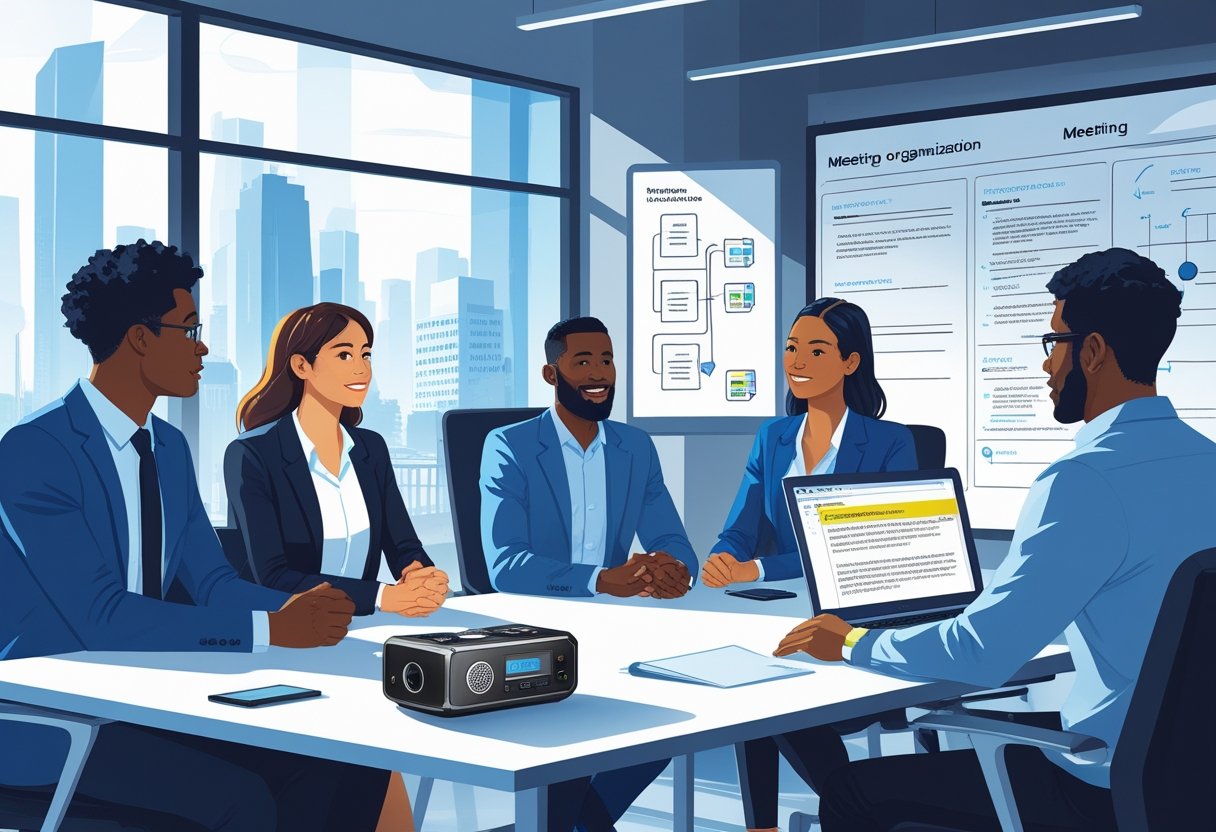
Recording and transcribing meetings provides teams with accurate documentation while improving focus during discussions. These practices also help organizations meet legal requirements and ensure content remains accessible to all team members.
Capturing Accurate Meeting Records
Meeting recording eliminates the risk of missing critical information during fast-paced discussions. Participants often struggle to capture every detail while actively engaging in conversations.
Transcribed meetings create searchable text records. Team members can quickly locate specific topics, decisions, or action items without reviewing entire recordings.
Key benefits of accurate records include:
- Complete capture of all spoken content
- Exact quotes from participants
- Detailed documentation of decisions made
- Clear record of assigned action items
Meeting transcription ensures nothing gets lost between sessions. Important details that seemed minor during the meeting often become significant later.
Teams can create comprehensive meeting summaries from transcripts. These summaries highlight key decisions and next steps for easy reference.
Enhancing Productivity and Focus
Recording meetings allows participants to concentrate on discussions rather than note-taking. When people know conversations are being captured, they engage more actively in problem-solving.
Participants can focus on critical thinking instead of writing. This leads to better decision-making and more creative solutions during meetings.
Meeting recordings enable absent team members to stay informed. They can review full discussions and understand context behind decisions.
Productivity improvements include:
- Reduced time spent clarifying previous discussions
- Faster follow-up on action items
- Better preparation for future meetings
- Improved team alignment on goals
Transcripts help teams track progress over time. They can compare current discussions with previous meeting insights to measure advancement.
Compliance and Accessibility Requirements
Many industries require documented records of business decisions. Meeting transcription provides the detailed documentation needed for regulatory compliance.
Legal requirements often mandate keeping records of board meetings and policy discussions. Accurate transcripts serve as official documentation during audits or legal proceedings.
Accessibility benefits include:
- Text records for hearing-impaired participants
- Translation capabilities for global teams
- Screen reader compatibility for visually impaired users
- Multiple format options for different needs
Organizations must ensure all employees can participate fully in meetings. Transcribed content makes information available to team members with different communication needs.
Meeting notes become permanent organizational knowledge. New employees can access historical context and understand how decisions evolved over time.
Preparing to Record Meetings
Proper setup before recording meetings ensures clear audio, smooth technical operation, and legal compliance. The right platform choice, permission settings, and audio-video planning prevent common recording problems.
Choosing the Right Meeting Platform
Different video conferencing platforms offer various recording features and limitations. Zoom provides built-in cloud and local recording options for paid accounts, while free accounts only allow local recording.
Microsoft Teams includes automatic recording and transcription features for business accounts. The platform stores recordings in SharePoint or OneDrive for easy sharing.
Google Meet offers recording capabilities for Google Workspace users. Recordings save directly to Google Drive and include automatic email notifications to participants.
| Platform | Recording Type | Storage Location | Transcription |
|---|---|---|---|
| Zoom | Cloud/Local | Zoom Cloud/Device | Available |
| Microsoft Teams | Cloud | SharePoint/OneDrive | Automatic |
| Google Meet | Cloud | Google Drive | Available |
Meeting organizers should test recording features before important meetings. Some platforms require specific subscription levels for recording access.
Setting Permissions and Roles
The meeting organizer controls who can start and stop recordings. Most video conferencing platforms require explicit permission from the host before recording begins.
Recording permissions should match meeting sensitivity levels. Private discussions need stricter controls than general team meetings.
Meeting options should include clear recording policies in calendar invites. Participants need advance notice about potential recording to ensure legal compliance.
Some platforms allow co-hosts to manage recordings. The organizer should assign these roles carefully to trusted participants only.
Guest participants often cannot record meetings by default. This setting protects confidential information from unauthorized recording.
Planning for Audio and Video Quality
High-quality audio recording requires participants to use headsets or quiet environments. Background noise significantly reduces transcription accuracy later.
Meeting organizers should request participants mute when not speaking. This simple step improves overall recording quality for everyone.
Video conferencing settings affect recording file sizes and quality. Higher resolution creates better recordings but uses more storage space.
Stable internet connections prevent audio dropouts during recording. Participants should test their connections before important recorded meetings.
Multiple speakers talking simultaneously creates transcription problems. The organizer should establish clear speaking rules for recorded sessions.
Recording quality depends on the weakest participant connection. Backup recording methods help ensure important meetings get captured properly.
How to Record Meetings Effectively

Most meeting platforms have built-in recording features that make capturing discussions simple. Third-party tools offer advanced features like AI transcription and better file management. Users must also consider legal requirements and get proper consent before recording any meeting.
Built-In Recording Features in Major Platforms
Zoom offers native recording for all account types. Free users can only record to their local computer. Paid users can record to the cloud and access automatic transcriptions.
The meeting organizer starts recording by clicking the “Record” button. Participants see a notification when recording begins. Zoom saves recordings as MP4 video files and M4A audio files.
Microsoft Teams meetings include built-in recording for business accounts. The recording captures audio, video, and screen sharing. Teams automatically creates transcriptions for recorded meetings.
Users click “Start recording” from the meeting controls. The recording saves to Microsoft Stream or OneDrive. Team members can access recordings through the meeting chat or Teams app.
Google Meet provides recording for Google Workspace users. Personal Google accounts cannot record meetings. The feature captures the entire meeting including shared screens and participant video.
Meeting organizers enable recording from the three-dot menu. Google Drive stores all recordings automatically. Meet sends an email with the recording link to all participants after the meeting ends.
Third-Party Meeting Recording Tools
Third-party tools offer features that basic platform recording cannot match. AI-powered transcription creates searchable text from meeting audio. These tools often work across multiple platforms.
Popular options include Otter.ai, Rev, and Grain. These services can join meetings automatically as participants. They create detailed transcripts with speaker identification.
Some tools provide real-time transcription during meetings. Others focus on post-meeting analysis and summary creation. Advanced features include action item extraction and keyword searching.
Third-party tools typically charge monthly fees. They offer better accuracy than free platform transcriptions. Many integrate with calendar apps and project management software.
Legal and Ethical Considerations
Consent requirements vary by location and meeting type. Some states require all participants to agree before recording starts. Others only need one person’s consent.
Business meetings often have different rules than personal calls. Company policies may require specific consent procedures. International meetings must follow the strictest local laws.
Always announce when recording begins. Send clear notifications to all participants. Explain how recordings will be used and stored.
Data privacy matters for recorded meetings. Store files securely and limit access to necessary people. Delete recordings when they are no longer needed. Follow company data retention policies for business meetings.
Meeting Transcription Methods and Tools
Several methods exist for recording and transcribing meetings, ranging from real-time live transcription to automated AI-powered software and professional human services. Each approach offers different levels of accuracy, cost, and convenience for teams.
Live Transcription Options
Live transcription provides real-time text conversion during meetings. This method helps participants follow along and catch important points instantly.
Many video conferencing platforms include built-in live transcription features. Zoom, Microsoft Teams, and Google Meet all offer automatic live captions during meetings.
These built-in tools work well for basic needs. They show spoken words on screen as people talk. The accuracy varies based on speaker clarity and background noise.
Otter.ai offers advanced live transcription that joins meetings automatically. It creates speaker-labeled transcripts in real time. The service works with most popular meeting platforms.
Live transcription works best for simple conversations. Complex technical terms or heavy accents can reduce accuracy. Users should review transcripts after meetings for errors.
Automated Transcription Software
AI-powered transcription software processes recorded audio into text documents. These tools save time and often provide better accuracy than live options.
Fireflies.ai automatically joins video calls and records conversations. It creates detailed transcripts with speaker identification and time stamps. The software integrates with CRM systems and project management tools.
Descript combines transcription with audio editing features. Users can edit audio files by changing the text transcript. This makes it useful for creating meeting summaries and removing unnecessary content.
Rev offers both automated and human transcription services. Their AI tool provides fast results within minutes. The automated service costs less but may have lower accuracy than human transcription.
Most automated tools require uploading audio files after meetings. They process the content and deliver transcripts via email or dashboard access.
Human Transcription Services
Professional human transcribers provide the highest accuracy for meeting transcripts. They understand context, accents, and technical terminology better than automated systems.
Rev employs professional transcribers who deliver 99% accuracy rates. Human transcription takes longer than automated options, typically 12-24 hours for completion.
Human services cost more than automated tools. Prices range from $1-3 per minute of audio depending on turnaround time and quality requirements.
This method works best for important meetings with complex topics. Legal discussions, medical conferences, and executive meetings benefit from human accuracy.
Professional transcribers can handle multiple speakers, background noise, and unclear audio. They also format transcripts properly and identify speakers by name when provided.
Human transcription requires sending audio files to external services. Organizations should consider privacy and confidentiality requirements before choosing this option.
Leveraging AI-Powered Meeting Solutions
AI-powered tools can automatically record, transcribe, and analyze meetings while extracting key insights and action items. These solutions integrate with popular platforms and streamline workflows by connecting with existing business tools.
AI Assistants for Meetings
AI assistants join meetings automatically and handle recording tasks without human input. Tools like Otter.ai and Fireflies.ai can connect to Zoom, Google Meet, and Microsoft Teams calls.
These assistants capture audio and convert speech to text in real-time. They identify different speakers and create organized transcripts. Many tools also tag important moments and highlight key decisions.
Popular AI meeting assistants include:
- Otter.ai for live transcription and speaker identification
- Fireflies.ai for comprehensive meeting analysis
- Fellow for complete meeting management
- MeetGeek for detailed conversation insights
The AI assistant runs in the background during calls. Users can focus on the discussion while the tool handles documentation. This eliminates the need for manual note-taking and reduces meeting fatigue.
Summarization and Action Item Extraction
AI features can process meeting transcripts to find important information. The technology scans conversations and pulls out key decisions, deadlines, and tasks automatically.
Smart algorithms identify action items by looking for specific language patterns. They spot phrases like “we need to” or “by next week” to find commitments. The AI creates organized lists with assigned responsibilities and due dates.
Common AI-generated outputs include:
- Executive summaries of main discussion points
- Task lists with owner assignments
- Decision logs with context
- Follow-up reminders and deadlines
Meeting insights help teams track progress and accountability. The AI can compare current discussions with past meetings to identify recurring themes. This analysis reveals patterns in team performance and project status.
Integrations and Workflow Automation
Modern AI tools connect with business software to create seamless workflows. Integration allows meeting data to flow into project management systems, calendars, and communication platforms automatically.
Descript and similar tools can push transcripts to Google Drive or Dropbox. Action items sync with Asana, Trello, or Monday.com without manual copying. Calendar events update with meeting summaries and next steps.
Workflow automation reduces administrative work after meetings. The AI assistant can send follow-up emails with summaries to all participants. It creates calendar reminders for action item deadlines.
Many platforms offer API access for custom integrations. Teams can build connections between their AI meeting tools and specialized business software. This flexibility ensures the technology fits existing processes rather than replacing them.
Optimizing the Use of Meeting Recordings and Transcripts
Meeting recordings and transcripts become valuable business assets when teams implement proper sharing protocols, create focused summaries, and integrate notes with collaboration workflows. These practices transform raw meeting data into actionable insights that drive productivity.
Sharing and Storing Meeting Transcripts
Organizations must establish clear protocols for transcript distribution and storage. Teams should identify who needs access to specific meeting content before sharing begins.
Access Control Methods:
- Restrict sharing to meeting participants and stakeholders
- Use password-protected links for sensitive discussions
- Create role-based permissions for different team levels
Secure storage remains critical for long-term transcript management. Teams should store recordings on encrypted platforms with backup systems. Cloud storage solutions offer automatic syncing and version control.
File organization improves transcript retrieval. Users can create folder structures by project, department, or date. They should use consistent naming conventions that include meeting date and purpose.
Regular storage audits help maintain clean archives. Teams can delete outdated recordings and transcripts based on company retention policies. This practice reduces storage costs and security risks.
Using Transcripts for Meeting Summaries
Meeting transcription software provides the foundation for creating focused summaries. Teams can extract key decisions, action items, and important discussions from full transcripts.
Summary Creation Process:
- Review transcript for main topics discussed
- Identify specific decisions made during the meeting
- Extract assigned tasks and deadlines
- Note unresolved issues requiring follow-up
AI-powered tools can automate summary generation from meeting transcripts. These systems highlight important sections and create structured output. Users should review automated summaries for accuracy before distribution.
Custom templates improve summary consistency across teams. Organizations can create standard formats that include sections for decisions, action items, and next steps. This approach ensures all summaries contain essential information.
Driving Collaboration with Integrated Notes
Integration between meeting notes and collaboration platforms increases team productivity. Users can connect transcripts with project management tools and communication systems.
Popular integration options include linking transcripts to task management software. Teams can convert action items from meeting notes directly into trackable tasks. This connection ensures follow-through on meeting decisions.
Key Integration Benefits:
- Automatic task creation from meeting action items
- Searchable transcript databases across projects
- Real-time note sharing during meetings
- Synchronized updates between platforms
Shared note templates help teams maintain consistent documentation standards. These templates can include sections for meeting objectives, key decisions, and follow-up actions. Teams customize templates based on meeting types and organizational needs.
Real-time collaboration features allow multiple team members to edit and comment on transcripts. This functionality helps clarify unclear sections and add context to important discussions.
Frequently Asked Questions
Meeting recording and transcription tools vary widely in features and accuracy. Many built-in platform options exist alongside dedicated AI services that offer enhanced capabilities.
What applications can automatically transcribe meeting minutes?
Several applications can automatically transcribe meeting minutes during live sessions. Microsoft Teams includes built-in transcription that converts spoken dialogue into written text automatically.
Zoom offers native recording and transcription features for meetings. Google Meet also provides automatic transcription capabilities for users.
Dedicated transcription software like specialized meeting assistants can join virtual meetings automatically. These tools provide nearly instant text transcripts with higher accuracy rates.
Third-party AI transcription services integrate with popular meeting platforms. They often offer better accuracy and additional features compared to basic built-in options.
Can Microsoft Teams record and transcribe meetings automatically?
Yes, Microsoft Teams can record and transcribe meetings automatically. The platform includes built-in transcription that turns spoken dialogue into written text.
Teams captures audio, video, and screen-sharing activities during recording sessions. Users can access transcriptions immediately after meetings end.
The transcription feature works for meetings, webinars, town halls, and group calls. Participants can review or share key discussions using the generated text.
Teams stores recordings and transcriptions in the cloud for easy access. Users can search through transcribed content to find specific topics or quotes.
Are there any reliable free transcription services for audio recordings?
Many free transcription options exist for meeting recordings. Built-in recording features on platforms like Zoom, Microsoft Teams, and Google Meet provide basic transcription at no extra cost.
Free voice recording apps on smartphones and computers can capture meeting audio. However, users must manually transcribe the audio or use separate transcription services.
Some AI-powered transcription tools offer free tiers with limited monthly minutes. These services often provide better accuracy than basic platform features.
Free options typically have restrictions on recording length or monthly usage limits. They may also lack advanced features like speaker identification or custom vocabulary.
How can I transcribe a meeting accurately using AI?
AI transcription tools provide high accuracy rates for meeting transcription. These services use advanced speech recognition technology to convert audio into text automatically.
Users should ensure clear audio quality for best AI transcription results. Good microphones and stable internet connections improve accuracy significantly.
Many AI transcription services offer speaker identification features. This helps distinguish between different participants in meeting transcripts.
Custom vocabulary settings allow AI tools to recognize industry-specific terms and names. Users can train the AI to improve accuracy for recurring terminology.
Real-time transcription provides immediate text output during meetings. Post-meeting processing often delivers even higher accuracy through additional AI analysis.
Where can I find a service to record and transcribe online meetings?
Multiple online services specialize in meeting recording and transcription. Dedicated platforms like MinutesLink integrate with popular meeting software to provide enhanced features.
Cloud-based transcription services work with various meeting platforms including Zoom and Google Meet. These services often provide better accuracy than built-in platform features.
Professional transcription companies offer human-assisted services for critical meetings. These services combine AI technology with human reviewers for maximum accuracy.
Many services offer different pricing tiers based on usage needs. Free trials allow users to test accuracy and features before committing to paid plans.
Integration capabilities vary between services, so users should verify compatibility with their preferred meeting platforms.
What is the best way to transcribe meeting notes in real-time?
Real-time transcription requires reliable internet and quality audio input for best results. AI-powered transcription software provides the fastest and most accurate real-time conversion.
Dedicated meeting assistants can join calls automatically and transcribe conversations as they happen. These tools often provide better real-time accuracy than manual note-taking.
Multiple participants can access live transcriptions simultaneously during meetings. This allows team members to follow along and catch missed details immediately.
Real-time editing features allow users to correct mistakes as they occur. Some platforms enable collaborative editing of transcripts during live sessions.
Backup recording ensures no information is lost if real-time transcription encounters technical issues. Users can process recordings afterward for complete accuracy.
Related Articles

Automatic Meeting Notes: How AI-Powered Tools Transform Workplace Productivity
Voice Notes to Text: How AI Transcription Tools Are Revolutionizing Digital Communication